
 شات عربي | دردشة - تعارف | Account Deletion
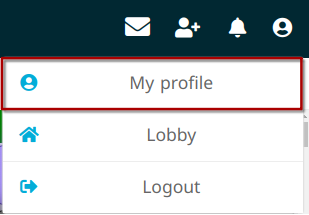
1. In the top right-hand corner of the app, click on the icon, open your profile settings:
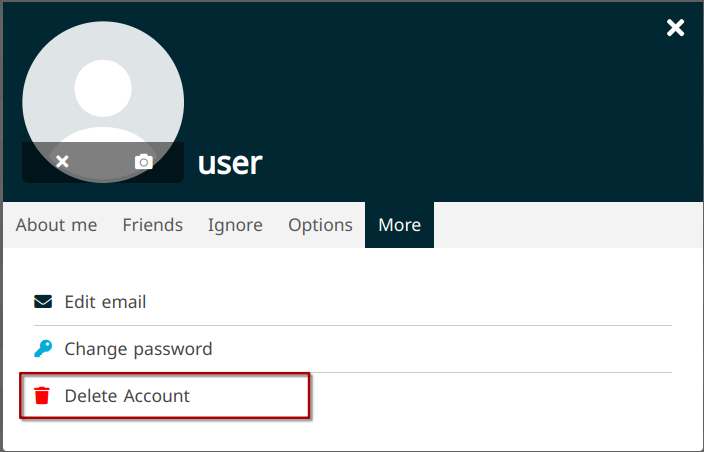
2. In your profile settings, select More -> Delete Account:
3. Type your account password and click Delete:
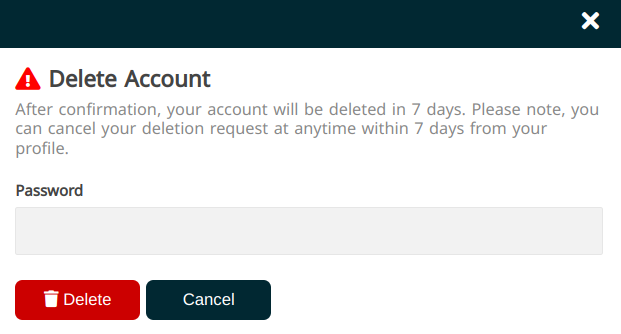
After a period of 7 days, all data relating to your account will be deleted, including:
* Email address, User ID, Other profile info
* Your public and private messages
* Any media you uploaded to the service (image, audio, video files etc)
* Analytical/technical data of your account/device
All guest (anonymous, unregistered) account data is deleted automatically after a 24 hour period of inactivity.